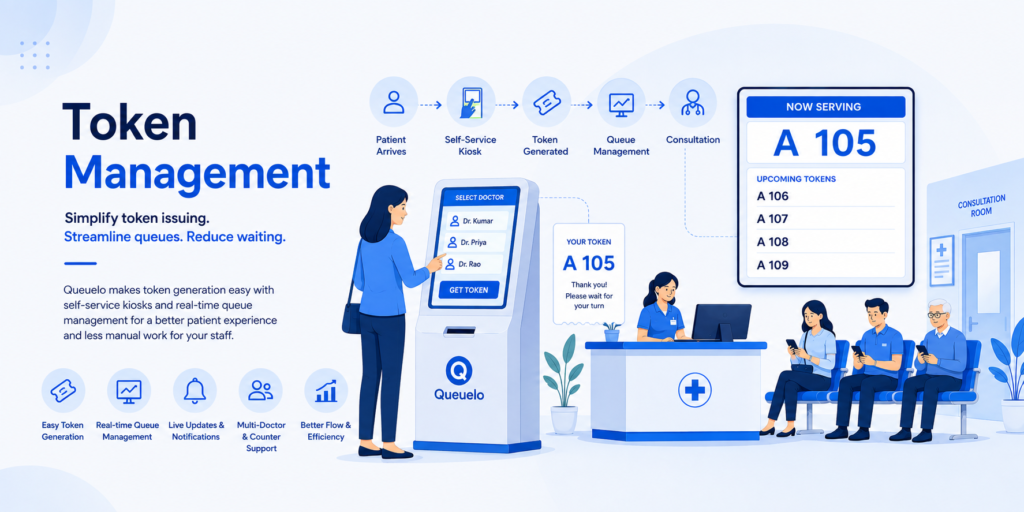
From a clinic visit to a multi-counter hospital journey, keep every token and next step visible.
Issue tokens through self-service or staff-assisted workflows. Organize queues by doctor, service or category, call patients from a dashboard, and guide them through the next step.
Organize walk-ins and doctor-wise queues. Give reception a clear view of tokens and keep the waiting area informed.
Doctor and service selection
Staff-assisted or self-service token issuance
Queue display and patient announcements
Hospital service counters
Guide patients through admissions, day care, insurance assistance and document verification across multiple counters.
Category-based queues and service routes
Flexible counter-to-queue allocation
Hold, recall, resume and transfer actions
Can initially operate independently alongside your existing HIS.
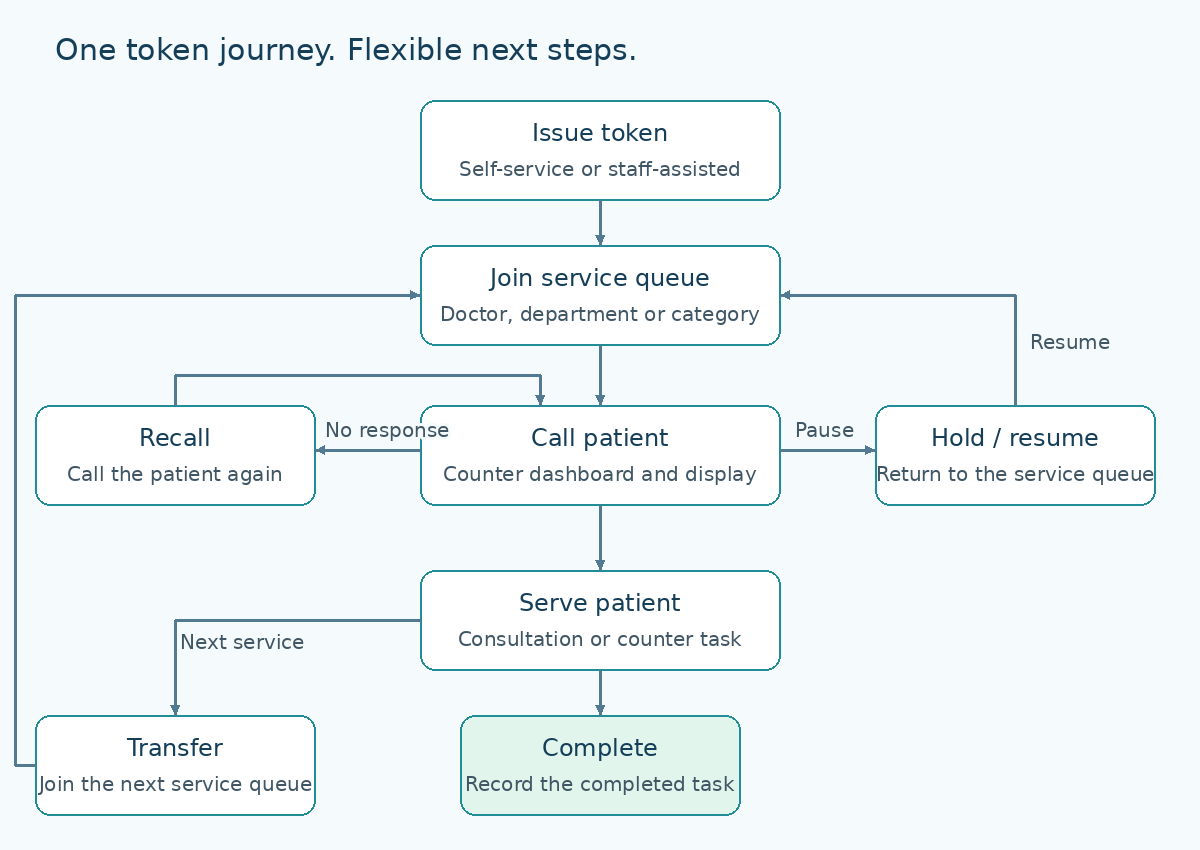
A clear journey, with flexible next steps
A token joins the appropriate queue, the patient is called, and the task is served. Hospital workflows can also pause, recall or transfer a patient when the next step changes.
On mobile: Issue token → Join queue → Call → Serve → Complete. Recall repeats the call; hold pauses the journey; transfer sends the token to the next service queue.
Clearer queues for everyone
For staff
Issue and locate tokens, call the next patient, and manage exceptions from a clear dashboard.
For patients
See the current token and where to go next through waiting-area displays and announcements.
For supervisors
Monitor queue volumes, service times and event history to understand how counters are operating.
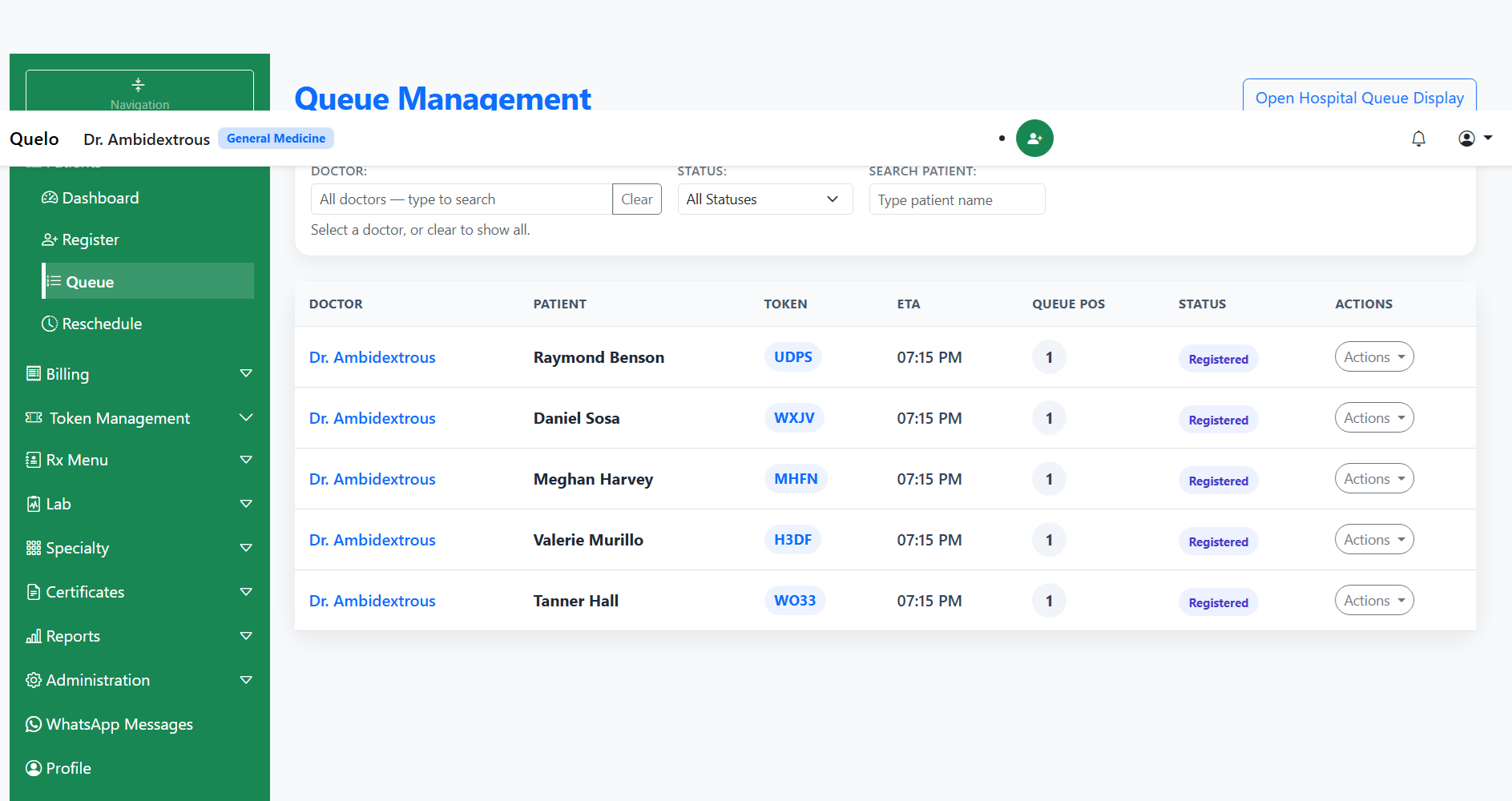
See the clinic queue in Quelo
An actual Quelo queue screen using demo data. Hospital counter workflows use their own service queues and counter dashboards.
A practical view of the clinic queueSee waiting patients and the next step in the OPD workflow. View full screen ↗
Built for hospital departments and service counters
Start with independent token and queue management without initially modifying the existing HIS. Map the system to the services and counters your department actually uses.
Manage counters: assign queues, call, serve, hold, resume, recall, transfer and complete tasks.
Maintain visibility: counter and supervisor dashboards, patient displays, announcements, event history and service-time reports.
Plan the setup around your site
Choose self-service or staff-assisted issuance. Confirm kiosks, printers, displays and announcement equipment during setup. Token printing requires a configured printer; WhatsApp updates depend on enabled messaging and available patient contact details.
See Quelo in Action
Show us your current patient journey. We’ll walk through a clinic queue or hospital service-counter workflow and discuss the setup that fits your team.